Milestone camera and Recording Server alarms
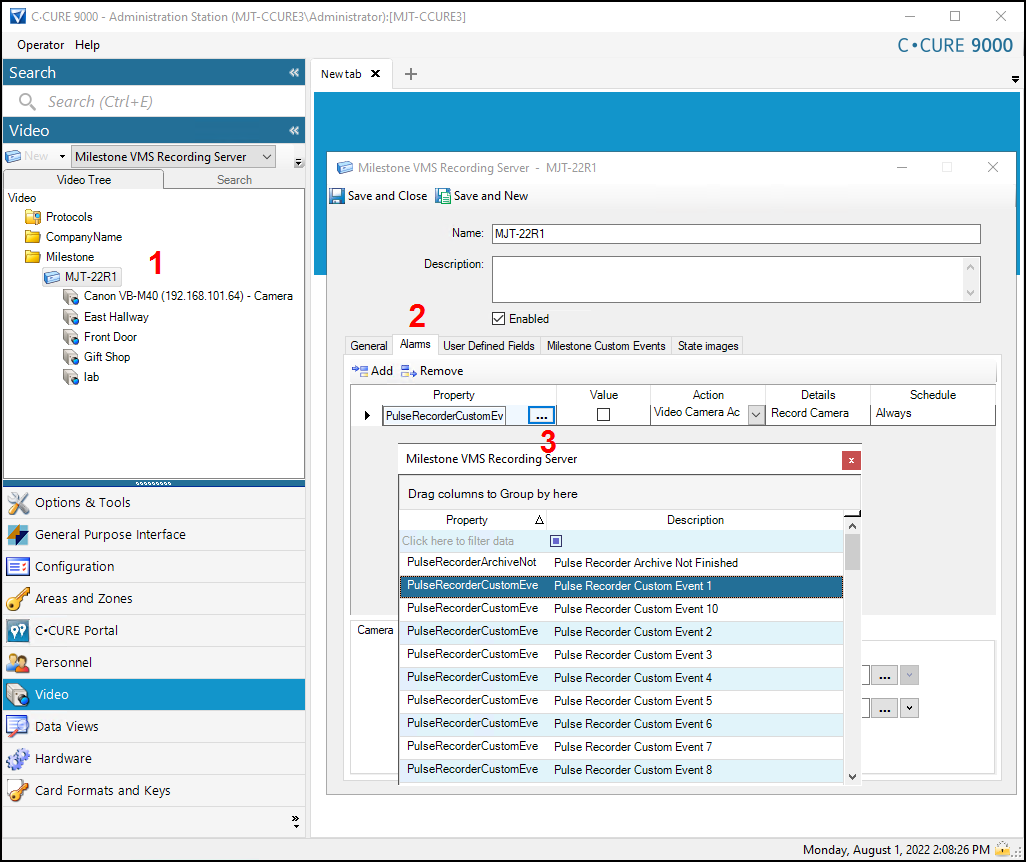
You can use all camera and recorder alarms in the CCure 9000 system with the XProtect Video Push integration. Alarms are available in the individual camera or recorder configuration windows in the Administration Station application. To do this:
From the Video menu. double click on any Recording Server or camera.
Go to the Alarms tab in the configuration window, then open the Property list to view the full list of alarms.
There are many different recorder and camera alarms available.
Note
The exact number and type of available alarms is determined by both the version of XProtect, and the version of CCure in the integrated solution. Previous versions of the integration contained dozens of different recorder alarms and over a hundred different camera alarms. The current integration contains a similar set of alarms.