Install CCure client components
Install the Client Components on all CCure client machines where you need the Milestone video integration.
Click XProtectVideoPush-v3_XX-CCure9k-vX-XX.msi to start installation.
Click Next to enter the component selection step. If you are installing the components on a client machine only, open the Client Components list and select the Will be installed on local hard drive option. The Server Components list should display a red X icon.
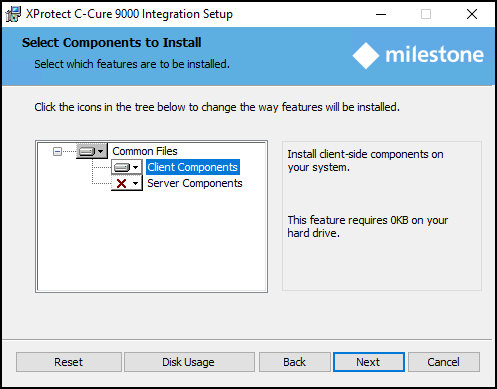
Click Next to continue. Click Install to start the installation process.
Important
The installation location for the CCure 9000 Video Push components is controlled by the redistributable software components. These two software packages need to be installed on the same drive. Without technical support assistance, the components can only be installed on the C:\ drive. The location of the CCure 9000 Video Push server components and client components is not changeable. If the MIP SDK is installed in a different location, the wizard must be directed to this location before it can continue with the installation.