Front view
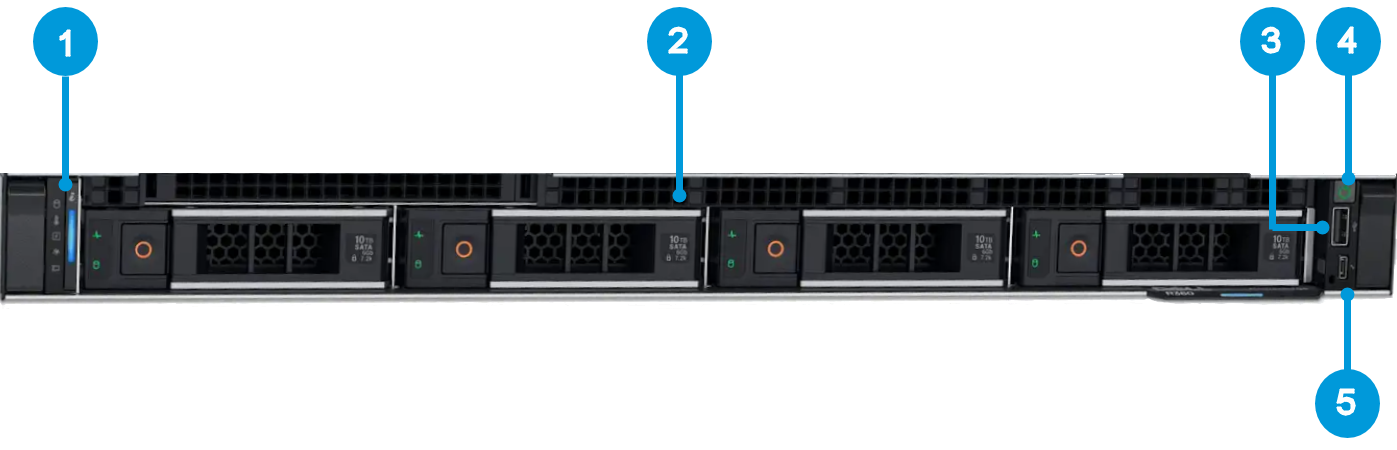 |
1. Left control panel with system health, system ID, and status LED indicator. | 2. Drive slots |
3. USB 2.0 port | 4. Power button |
5. iDRAC direct Micro USB port | 6. Information tag |
Note
The image is for illustrative purposes and may not reflect all aspects of your Husky unit's appearance. This can be due to minor variations in model design and production.
Opening the unit
If you need to unlock and remove the bezel to open the unit and install or remove system components, see the link to the detailed hardware documentation below.
Please read and follow the safety instructions in the detailed hardware documentation when handling the unit.
For more information, see Link to detailed hardware documentation