People Counting Best Practices
Flow Counting Best Practices
In general, flow counting is most accurate when there is good object extraction and tracking:
People are walking mostly individually (not in groups).
People do not stall or dwell in the area.
There are no other people in the scene other than the people you want to count.
Cameras are positioned in such a way that the occlusions between people are minimal.
Below are the guidelines for achieving optimal camera placement:
Camera height – It is best to position the height at about 3 to 6 meters.
Camera tilt – While it is common to place cameras intended for people counting in a down-looking (bird’s eye view) angle (90 degrees tilt) – BriefCam works better with a shallower view (smaller angle) of between 15 and 45 degrees, for example 30 degrees (as shown in the image below). This range balances between the ability to track objects as they travel in the scene and increase the chance they indeed passed in the counting direction and the need to prevent occlusion by other people where a taller person may hide the view of a shorter person. (This angle also allows the use of facial recognition if faces are visible.)
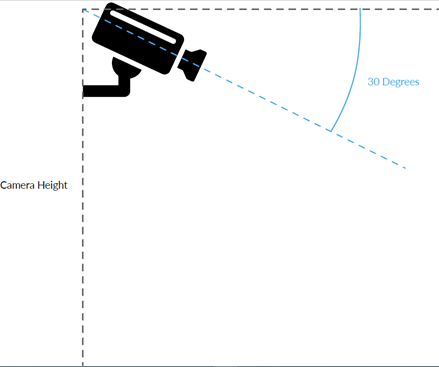
Below is an example of a scene at a good angle.
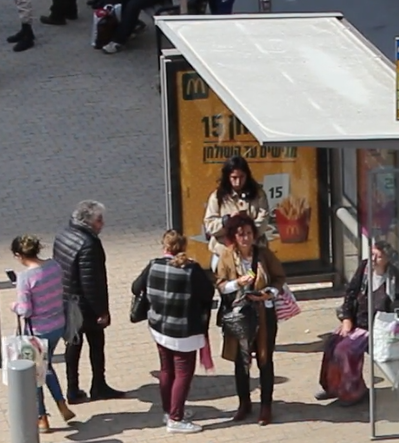
Separation between people – It is important to place the camera so that there are no major occlusions between people. Two people too close to each other may sometimes be considered as one object and may lead to miscounting.
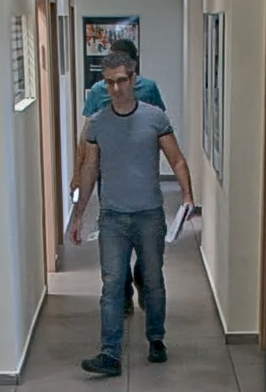
Wherever possible, it’s best to choose a scene set up where the people are walking in and out individually and not in groups, such as through a turnstile.
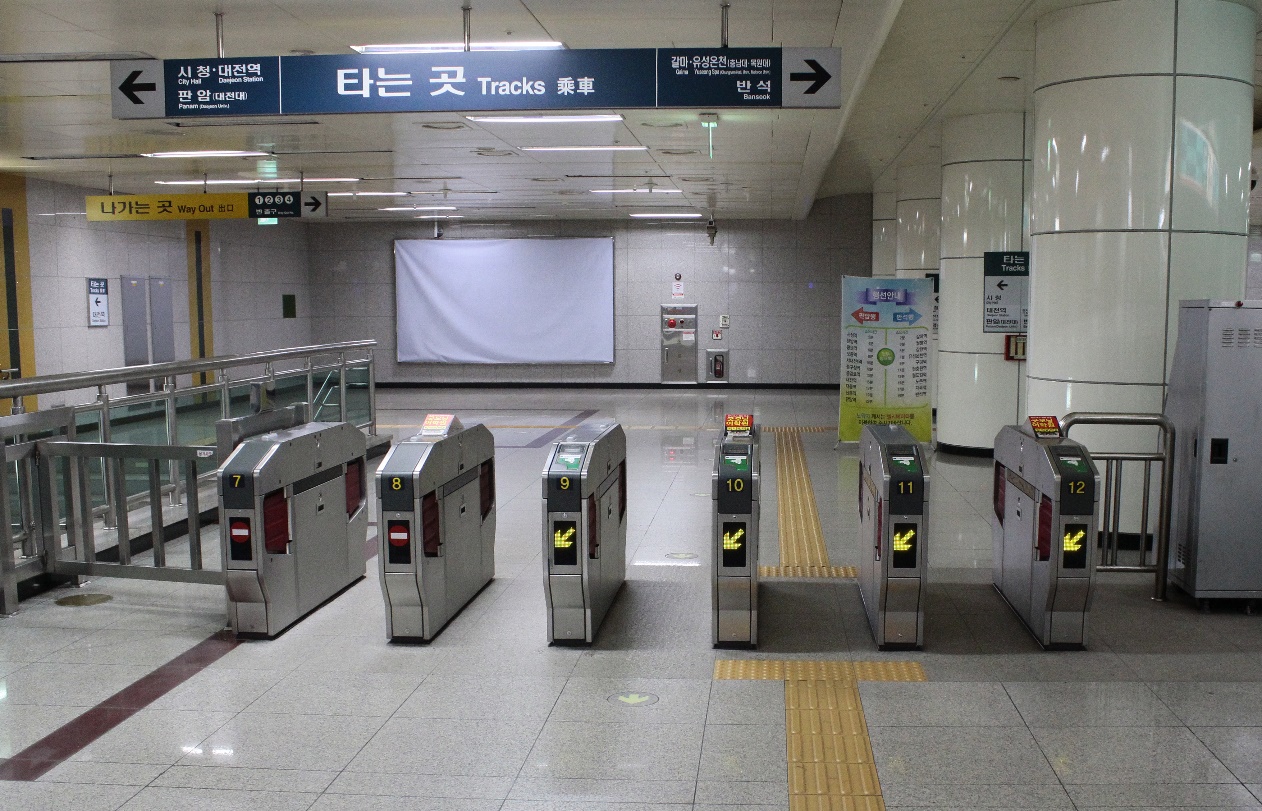
(Minseong Kim / CC BY-SA (https://creativecommons.org/licenses/by-sa/4.0)
Tracking – Once BriefCam detects an object, it starts to track it. The result is that BriefCam knows that when we have one object appearing in one frame and another appearing in a consecutive frame, they are the same object. For good tracking, one would want to achieve a clear view of the object as it moves across the scene, with enough space in the frame for the object to create a track (e.g. avoid a situation – like in large magnification (or small field-of-view) - where a person appears in the frame for a split second while moving through it)
No clutter – It is recommended to avoid moving objects (such as leaves on a tree), and loitering people which can “confuse” the object extraction and tracking mechanisms (the more “sterile” the area – the better). Place the camera in a way that excludes moving objects. The movement of these objects, such as revolving signage and opening and closing of doors, can cause false counts. In addition, doors can obstruct the view of the camera and can partially hide people.
Lighting – It is recommended to avoid reflections, strong shadows, and to make sure that the area is not too dark or excessively illuminated. This too can hinder the object extraction and tracking mechanisms.
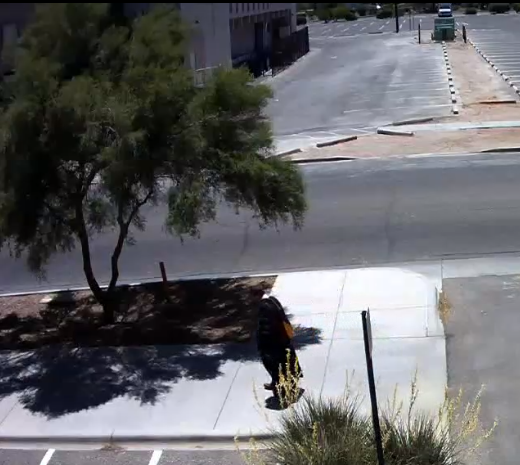 | 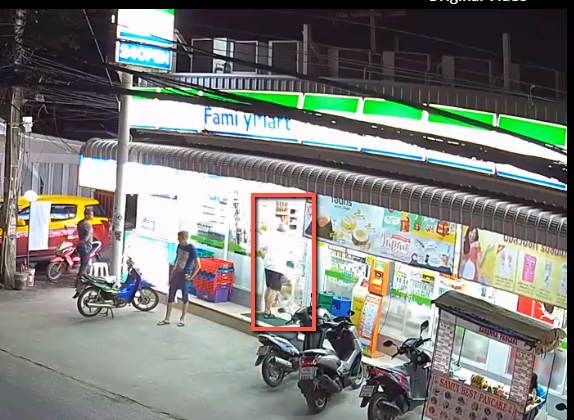 |
Example of strong shadows | Example of excessive illumination |
Camera types – Fisheye cameras, which provide a 180 or 360 degree view of the scene, produce worse results for people counting than other cameras because BriefCam does not detect and track objects as well in these cameras.
Image quality – For good image quality, you want to achieve a good sharpness and contrast of objects in the frame, no saturating bright lights in the frame or counting zone, no sunlight from outside, etc.
Video motion detection (VMD) – Some cameras and VMSs have a VMD capability that only broadcasts or records (respectively) when an algorithm detects movement. In some cases, those algorithms behave sub-optimally. This causes objects to suddenly appear or disappear from the frame as the video stream/recording starts or stops due to unidentified movement, and influences BriefCam’s ability to correctly track the objects’ movements in the scene and to correctly count them. It is recommended to not use video motion detection on the VMS and on the camera.
Variable-rate FPS – Videos that are recorded with a variable-FPS rate might cause the tracking and detection mechanisms to behave sub-optimally in cases of counting. This is because during BriefCam engine’s 5-minute warmup, the engine determines the rate of FPS and uses this number to sample 3 frames per second for detection. For example, if 15 FPS is used, every 5th frame is used for detection. For variable-rate FPS, the number selected in the 5-minute warmup is probably incorrect for different parts of the movie, which leads to jittery movement as perceived by the algorithm and unpredictable detection accuracy. It is recommended to not use variable-rate FPS and to set the camera to fixed-framerate.
BriefCam is good in handling suboptimal video and can overcome situations such as listed above. However, whenever possible and to increase the counting accuracy take the above recommendations into account.
Occupancy Best Practices
For measuring occupancy using flow counting, cameras should be positioned in all entrances and exits so that BriefCam can count all people who are entering and exiting the premises and calculate how many people are currently inside.
When calculating occupancy, it is highly recommended to occasionally set a baseline count. For example, if the premises is empty at night, the count will always reset to 0 in the beginning of the day. This will eliminate any cumulative errors this method inherently introduces. For example, if the system counted 102 people entering and 100 people exiting (a margin of error that is reasonable), the system will assume that there are 2 people still in the building. If on the next day the same error occurred the cumulative error will now be 4 and so on. By resetting it back to the baseline (0 in this case), it ensures that these occasional errors are not carried over from day to day.
Concurrent Counting Best Practices
For concurrent people counting, a good separation of objects is necessary – with minimal occlusions. Tracking is less important as these counts do not involve analyzing the objects’ movements (which is the case when counting flows) – but it is crucial that there is good and steady object extraction (with no false or misdetections), which can be achieved by following the guidelines described above.
If parts of the scene contain mirrors or glass doors that show reflections of people they could be counted twice. To prevent this, mark the area without the reflections using the Area filter.
RESEARCH Module Best Practices
The following is the best practice for configuring the RESEARCH module.
To use the People Counting functionality in the RESEARCH module, it is recommended to first verify the sources in the REVIEW module.
In the REVIEW module:
Add the video source/s and test which filters perform best, depending on the angle, field of view and flow of people in the video. In order for the data obtained to be reliable, you want to make sure that you are setting the right area, path or line crossing for optimal tracking results. If more than one camera per entry is available select which one is expected to perform best or test several cameras.
If possible, compare the counts in the REVIEW module to manual counting and verify in a filtered VIDEO SYNOPSIS® that only objects you intended to count appear. This method helps verify the geospatial filters you may have used but will not reveal people who were not detected at all, which is a much less common problem. Visual layers consist of objects matching a certain filter, so they are very useful for determining which of the objects adhere to a certain filter criteria and then see which objects will not be counted under a certain filtering condition.
In the RESEARCH module:
Configure the relevant cameras as sources.
Apply the best performing filters and custom dimensions (area, path, and line crossing) that you found in the REVIEW module (in step 1a).
Once the data is retrieved, create the required dashboards.
Test on the same time range that you tested in step 1 to verify that the data is represented accurately and that no mistakes occurred in the filters. For example, create a table with source, date and # of people and then compare the numbers.