Showing or Hiding Specific RESEARCH Dashboards Per User
Research-Editors can determine who can see a dashboard. You do this as follows:
Open the properties of a dashboard (Sheet properties).
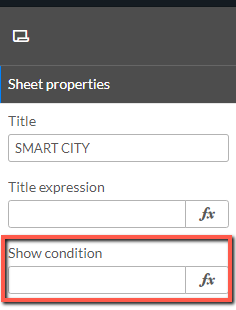
In the Show condition field, enter an expression using the example syntax below.
To hide a dashboard for one user named Frank:
=if (UserId='frank' ,0,1)To show the dashboard for one user named Frank:
=if (UserId='frank' ,1,0)To hide the sheet for multiple users:
=if ((UserId='frank') or (UserId='dorothy') or (UserId='eli'),0,1)
Note
The usernames and group names should be written in lower case only.