Sharing Watchlists
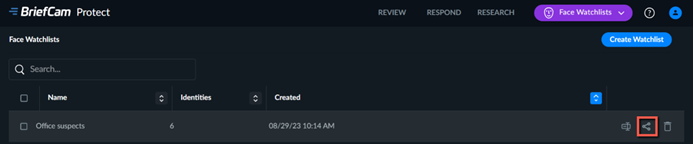
Click the share icon to share a watchlist. The share icon is only available for watchlists owned by the user.
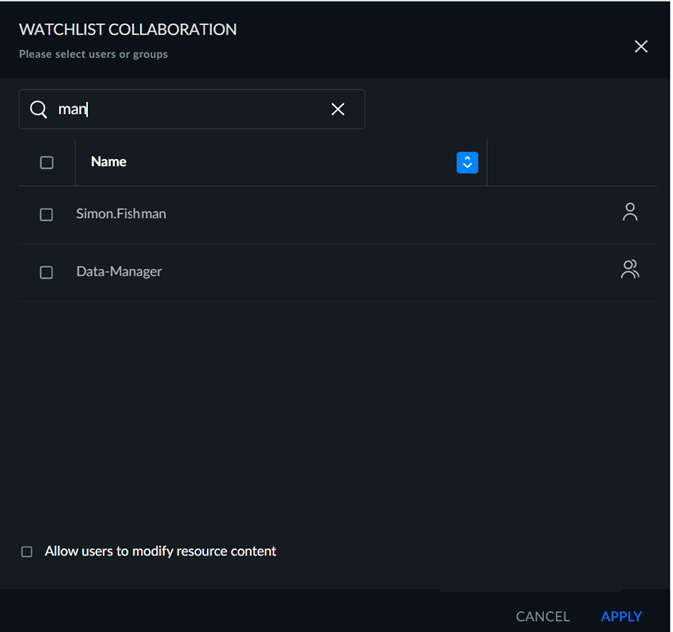
Once you click Share, you can select the groups and/or users that you want to share the watchlist with. You can select the Allow User to Modify Watchlist Content checkbox to give the selected users and groups modify permission for the watchlist.
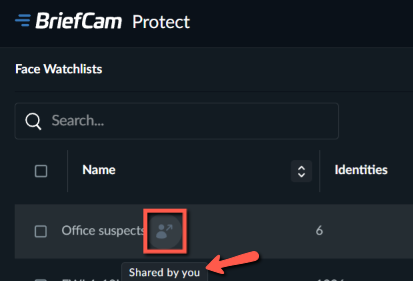
When you click Share, an icon will appear next to the watchlist. You can hover over the icon and see who shared the watchlist.
You cannot share external watchlists. View permissions of external watchlists can be assigned by the administrator to users and groups.
From the REVIEW tab, you can click the Face Recognition filter and you can select the watchlists that you defined in the settings.
Note
You can upload up to 500 images at a time, while each face file is limited to 20MB. Your administrator can change these limits. If you have more than 500 images, divide them up into batches of up to 500 or upload the images using the monitored folder feature. When using a Chrome version below 72.0.3626.81, the limit is 125 images per upload.