Alert Types
Smart Alerts and Real-Time Alerts
The differences between the smart alert and real-time alerts are detailed in the table below. Note that when using the Linux-based Next-Gen engine, there is one type of alert that covers all the alert types.
Smart Alerts with Linux-based Next-Gen Engine | Smart Alerts with Windows-based Classic Engine | Real-Time Alerts with Windows-based Classic Engine | |
Advantage | Higher accuracy in crowded scenes, longer dwell times possible, better handling of static objects, better in overhead cameras, and more accurate object counting. | More accurate because it uses more frames per object | Better in crowded scenes for face recognition because it uses face tracking instead of full body tracking |
Alert time | Up to 5 seconds | 30-60 seconds | Up to 5 seconds |
BriefCam object type | Still image and video clip | Video clip | Still image |
Available filters | All | All | Class, Face Recognition, Count (time-dependent only), Area and Line Crossing |
Note on human detection accuracy
Objects that visually resemble humans — such as paintings, posters, or curved shapes that resemble a human head or body — may, in some cases, be classified as a person and trigger alerts. This is more likely in OX5 environments with complex visuals or limited image clarity.
People Counting Alerts
Note
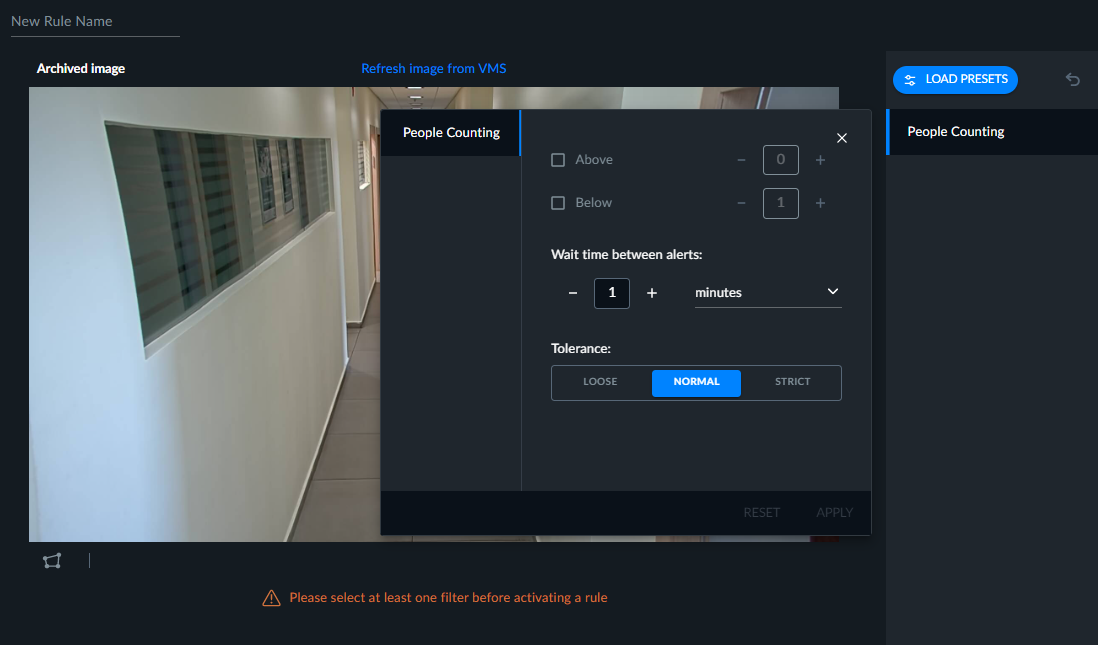
When using the Next-Gen engine, People Counting alerts are defined with the Count filter.
These alerts take a snapshot every few minutes (two minutes by default) of one frame and count the people in the whole frame or in a defined area.
People counting alerts are triggered when the number of people appearing in an area pass the defined thresholds. The people count cannot be further filtered by BriefCam’s filters (e.g. the number of women in red).
These alerts are ideal for queue counting and for counting people in crowds and people that are semi-static (not moving a lot). With the count functionality available in Smart and Real-Time alerts, people who are sitting or not moving a lot (static) are not always tracked since they blend in with the background and are therefore not counted accurately
You can set both an Above and Below threshold.
For example, you can set the people counting alert to alert when there are more than 20 people in a premises (indicating a surge in customers) or to alert if there are less than 7 people in a checkout line, or both.
This alert can also be used to alert if there is a number between, for example, 30-35 people.
The valid values for the Above threshold are 0-250 and for the Below threshold are 1-250.
In the Wait time between alerts field, set how long to wait before carrying out the next count of people. The valid values are between 0 seconds and 24 hours. Use this to prevent multiple alerts when the thresholds are met.
The only filter available with People Counting alerts is the Area filter. Only people whose heads appear inside the marked area are counted.
The people counting accuracy depends on many factors, such as occlusions and clutter in the scene. The statistical accuracy for large count numbers is +-10%, but it may be larger for smaller counts or in challenging scenes.
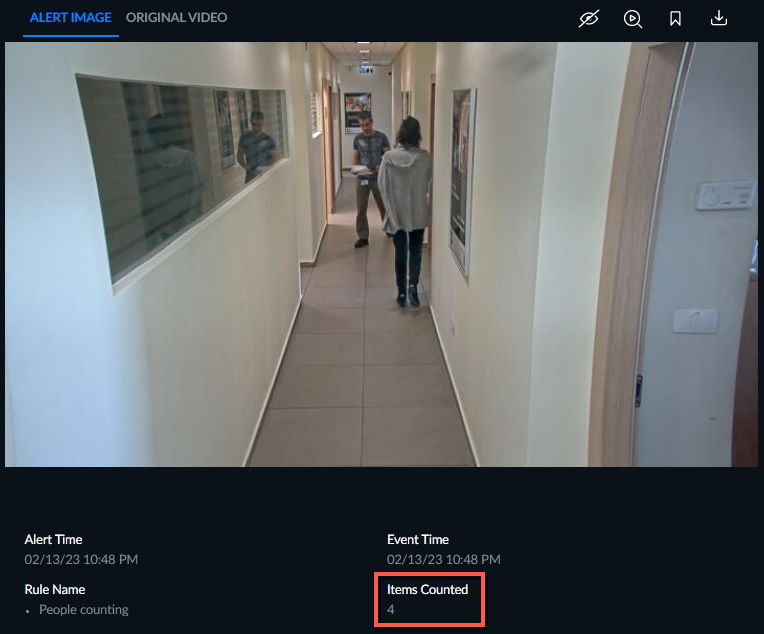
Each alert will appear with the number of people counted at the bottom of the image (as shown in the image below).