Installing PostgreSQL fails and I'm getting an error that no mapping between account names and security IDs was done. What can I do?
If the installation of PostgreSQL fails, check the BriefCamPostgreSQL_install.log file, which by default is located at: C:\Users\<USERNAME>\AppData\Roaming\BriefCam\.
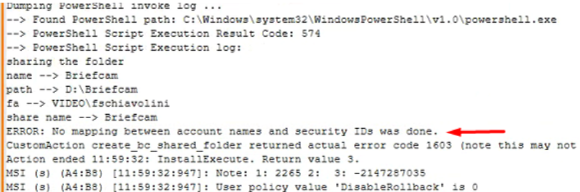
If you see "ERROR: No mapping between account names and security IDs was done" in the log, do the following:
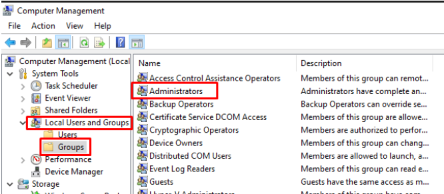
Go to Computer Management and under Local Users and Groups - Groups, make sure the group name is Administrators. When using a non-English locale, this may appear in a different language, which causes the installation to fail.