Installation Troubleshooting
要提取成功安装所需的所有现有环境属性BriefCam,请使用Installation Troubleshooting工具。此工具可用于以下操作系统:Server 2012、Server 2016、Windows 10和Windows 11。
移至资料
installation_troubleshooter夹,{BriefCam Server installation folder}tools并将其所有内容复制到正在执行的目录中。以管理员权限执行
installation_troubleshoot.bat档案。如需有关设BriefCam Administrator Console定的资讯,请开启该
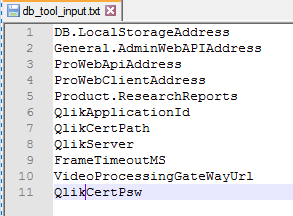
db_tool_input.txt档案。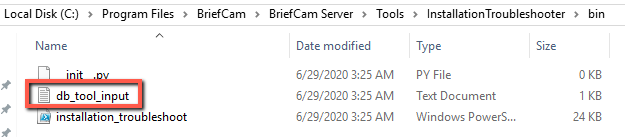
新增或移除您要从中撷取的设定。BriefCam Administrator Console
在正在执行的目录中,参阅
<hostname>__out__<date-time>.txt和installation_troubleshoot.log档案。
如需其他资讯,请参阅README档案。