Installation Troubleshooter
To extract all existing environment properties needed for the successful installation of BriefCam, use the Installation Troubleshooter tool. This tool can be used with the following operating systems: Server 2012, Server 2016, Windows 10, and Windows 11.
Go to
{BriefCam Server installation folder}toolsand copy theinstallation_troubleshooterfolder with all its content to a running directory.Run the
installation_troubleshoot.batfile with administrator privileges.For information about the BriefCam Administrator Console settings, open the
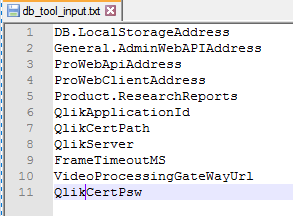
db_tool_input.txtfile.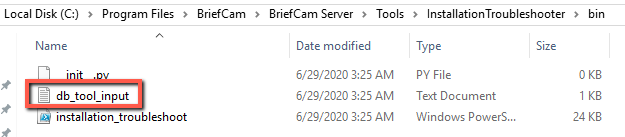
Add or remove the settings that you want to retrieve from the BriefCam Administrator Console.
In the running directory, see the
<hostname>__out__<date-time>.txtand theinstallation_troubleshoot.logfiles.
For additional information, see the README file.