RESEARCHダッシュボードチャートのデフォルト
次の環境設定は、RESEARCHモジュールのデフォルトを制御します。
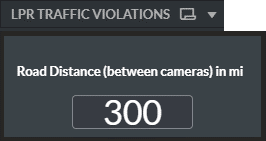
RESEARCH.LPRTrafficViolationsRoadDistance - LPR Traffic Violations ダッシュボードのRoad Distance入力のデフォルト値を設定します。デフォルトは300です。
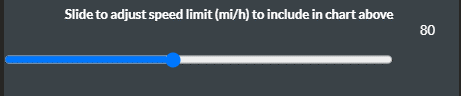
RESEARCH.LPRTrafficViolationsSpeedLimit - LPR Traffic Violations ダッシュボードの速度制限スライダーのデフォルト値を設定します。デフォルトは80です。
RESEARCH.TrafficViolationsSpeedLimit – Sets the default value for the speed limit slider in the Traffic Violations dashboard. The default value is 60.

RESEARCH.CheckoutAnalyticsAllowedPeopleLimit - Checkout AnalyticsダッシュボードのMaximum Allowed People(最大許容人数)スライダーのデフォルト値を設定します。デフォルトは10です。

RESEARCH.ProximityLimitMeter - Proximity Analyticsダッシュボードの近接リミットスライダーのローカライゼーションがメートル法に設定されている場合のデフォルト値を設定します。デフォルトは2です。
RESEARCH.ProximityLimitFeet - Proximity Analyticsダッシュボードの近接リミットスライダーのローカライズがインペリアルに設定されている場合のデフォルト値を設定します。デフォルトは6です。

RESEARCH.BouncedVisitorsDurationLimit – Sets the default value for the Bounced Visitors Duration slider in the Unique Visitors Analytics dashboard. The default value is 1 minute. The slider can be changed by increments of 0.1, with 0.1 meaning 6 seconds, 0.5 meaning 30 seconds, 5.1 meaning 5 minutes and 6 seconds, and so on.

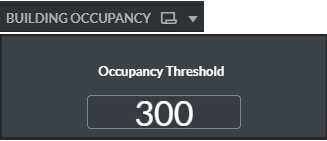
RESEARCH.OccupancyThreshold - Building Occupancy dashboardのOccupancy Threshold入力のデフォルト値を設定します。デフォルトは300です。
RESEARCH.OccupancyOffset - Building Occupancy dashboardでは、この設定を占有条件内の占有オフセット入力として使用できます。デフォルト値は0です。次に、累積計算の式の例を示します(現在建物にいる人数に、RESEARCH.OccupancyOffset環境設定の値を加えた値)。
= (rangesum( above( count({<[Class Category ID]={0}, [Path & Area]={'Entering'}>} ObjectID),0,rowno()))- rangesum( above( count({<[Class Category ID]={0}, [Path & Area]={'Exiting'}>} ObjectID),0,rowno()))) + $(vOccupancyOffset)RESEARCH.CustomVar1、RESEARCH.CustomVar2、...RESEARCH.CustomVar20 – これらのプレースホルダー設定は、さまざまなダッシュボード内のさまざまなニーズに使用できます。デフォルトは0です。
注意
この機能はサイトには適用されません。これは、ハブおよびスタンドアローンデプロイメントにのみ関連します。