Session Timeouts and Locking Out Users
Session Timeouts
Users are automatically logged out if no activity is detected for 20 minutes (per machine). This minimizes the possibility of others viewing or accessing the system when a user forgets to log out. Additionally, this will release the session, so others can log in if the licenses are limited.
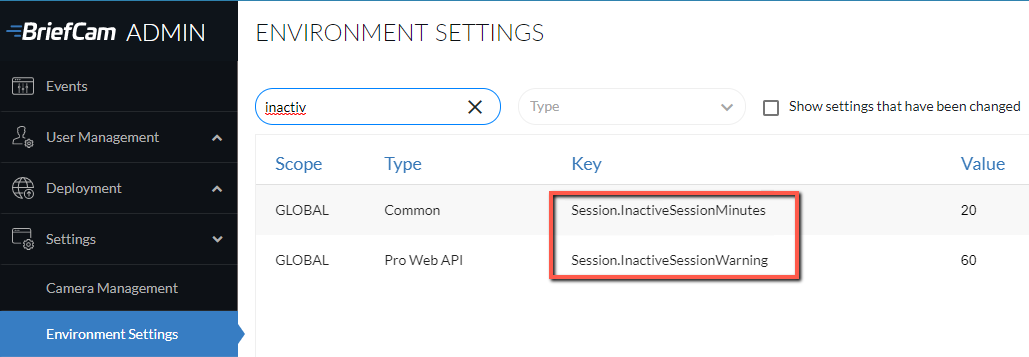
You can change the 20-minute default in the Session.InactiveSessionMinutes environment setting. The range for this setting is a minimum of 1 and a maximum or 34560 minutes (24 days).
You can also change the length of time (in seconds) that a warning will be shown to the user before they are logged out. This is set in the Session.InactiveSessionWarning environment setting.
Locking Out Users
If there are several unsuccessful attempts made to log intoBriefCam, you can configure BriefCam to lock out the user, including the administrator users. This is done using the EnableLockUser environment setting, which by default is set to false. The number of permitted login attempts is set to five and can be changed using the LoginAttemptsBeforeUserLockout environment setting.
There are additional settings that you can use to further configure how and when users are locked out:
ResetUserLoginAttemptsCountInMinutes – Time (in minutes) that has elapsed since the last false attempt before resetting the count of login attempts. The default is 30.
UserLockoutByIP – Determines whether to lock out user based on IP address. By default this setting is set to false.
UserLockoutDurationInMinutes – How long (in minutes) a user is locked out.