NAS Configuration
Important
NAS is only supported for the following BriefCam platform editions: Investigator and Protect. If you have the Rapid Review or Insights edition, NAS is not supported.
Caution
This functionality is not applicable for the Hub. It is only relevant for sites and in standalone deployments.
Configuring NAS allows users to directly access video files shared on the local network instead of downloading to the local machine and then uploading to the BriefCam server. By default, users can upload up to 5,000 files from a network.
To configure video files located on a network drive:
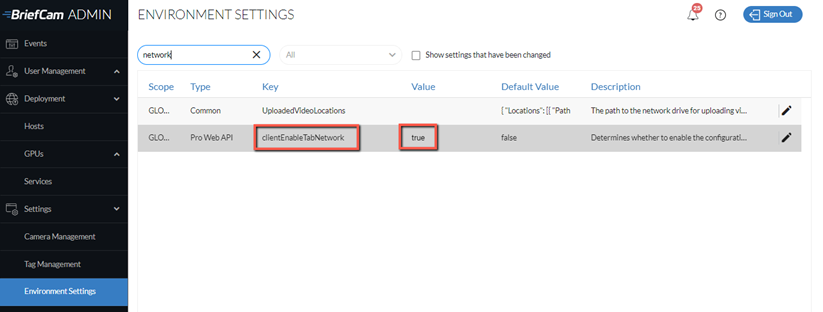
In the Environment Settings screen, set the clientEnableTabNetwork setting to true.
In the UploadedVideoLocations setting, update the json file by clicking the edit
 icon. In the location section, enter the path to the network drive. Note that for every backslash within the path, you need to add an additional backslash.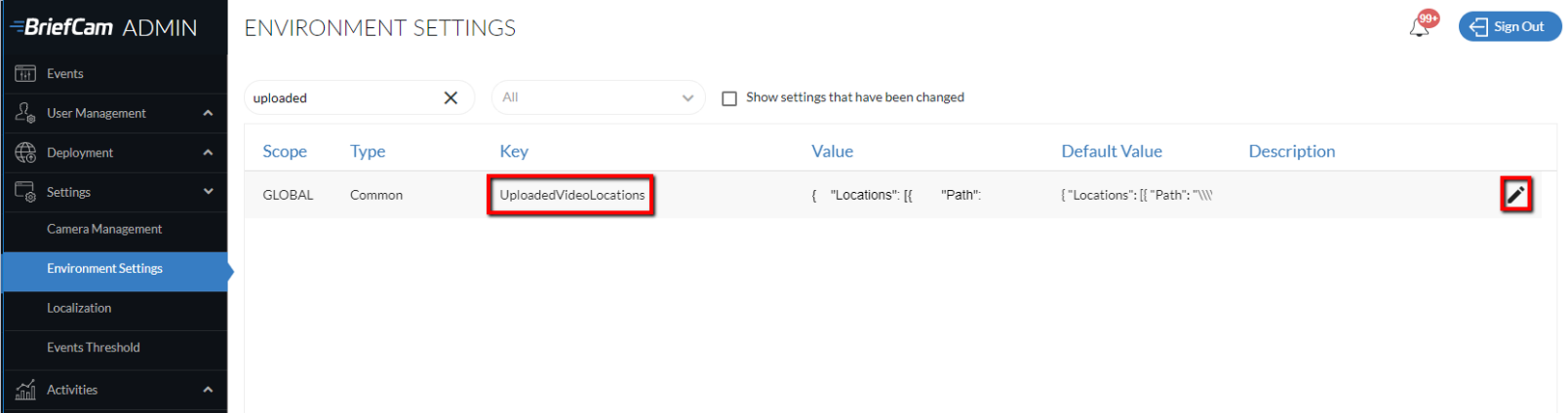
Example:
{ "Locations": [{

"Path": "\\\\network-video\\limitedAccessVideos"

}, {

"Path": "\\\\network-video\\video-DB"

}]

}
On the Windows host, share the folder and give permissions to BCUser (the user running the BriefCam processes) to access the folder.
If you are using a user that is not the default user (BCUser), make sure that the Application pool identity in IIS is set to the same user.
In the Users & Groups screen, click the permissions icon for the users and/or groups that you want to enable the Network tab for.
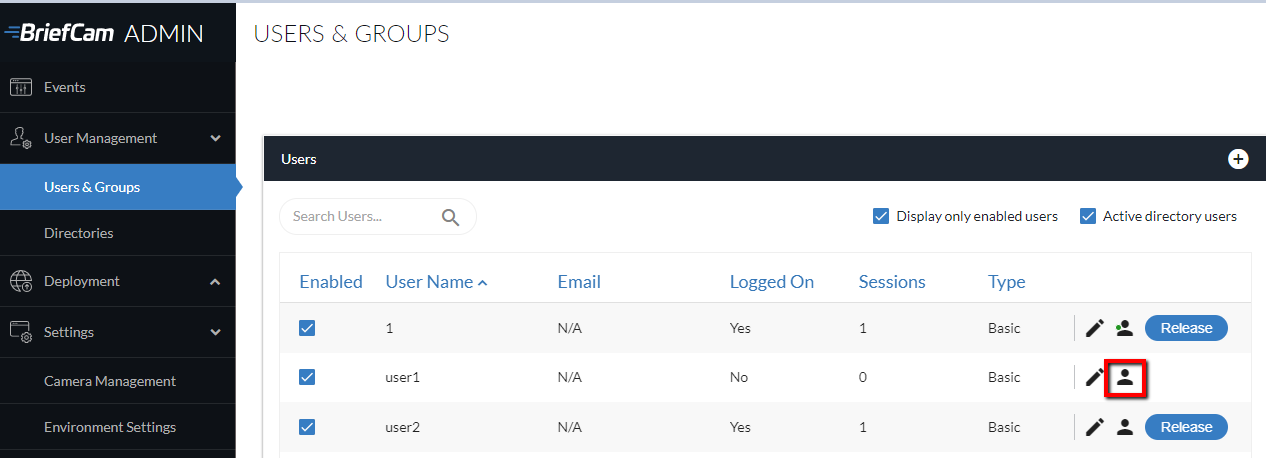
Select the Network Access Path checkbox and click the edit
icon.
Set the value to
*for all folders or a more restrictive access definition.After making the above changes, it is recommended that you restart the IIS (by opening the Windows services, right-clicking on the World Wide Web Publishing Service and clicking Restart) and clear the browser’s cache.
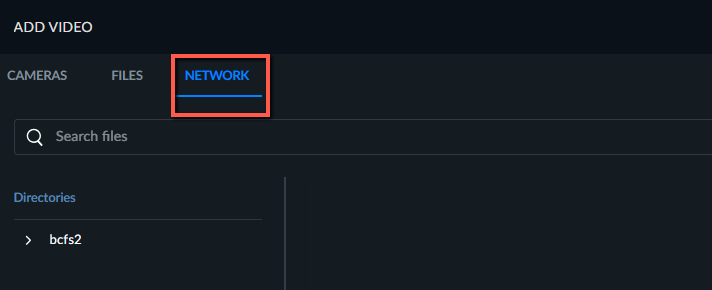
Users will now see an additional Network tab on the Add Source dialog (see the image below) and can select video sources from the NAS drive. The files will be transferred directly to the processing server, and not routed through the user’s machine.